What are the steps of WeChat Mini Programs's backend Java interface development?
This article introduces the steps of WeChat Mini Programs's back-end Java interface development, the content is very detailed, interested friends can refer to, hope to be helpful to you.
WeChat Mini Programs uses wx.request (OBJECT) to call the backend interface.
First of all, let's take a simple case-- helloworld implementation.
1. Build a springboot project and introduce dependencies
Org.springframework.boot spring-boot-starter-web 2. Write the controller layer @ RestControllerpublic class HelloWorldController {@ GetMapping ("/ helloWorld") public String helloWorld (Integer id) {return "helloworld" + id;}} server: port: 80 servlet: context-path: / tomcat: uri-encoding: utf-8
Run successfully
3. Create WeChat Mini Programs project
Helloworld.js
/ * initial data of the page * / data: {result:' request backend.'}, / * Lifecycle function-- listen for page loading * / onLoad: function (options) {var that=this; this.getData (that) }, getData (that) {wx.request ({url: 'http://localhost:8080/helloWorld', method:'GET', data: {id:666}, header: {' content-type':'application/json' / / default}) Success (res) {console.log (res.data) Console.log (that); that.setData ({result:res.data})})}
Helloworld.wxml
Data returned by backend: {{result}}
Attention:!
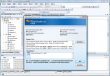
Remember to set up the following figure here
Otherwise, an error will be reported:
VM9 asdebug.js:1 http://localhost is not in the following request
In the list of legitimate domain names, please refer to the document: https://developers.weixin.qq.com/miniprogram/dev/framework/ability/network.html(env:
Windows,mp,1.05.2110110; lib: 2.19.4)
The successful access to the backend is as follows
On WeChat Mini Programs back-end Java interface development steps are shared here, I hope the above content can be of some help to you, can learn more knowledge. If you think the article is good, you can share it for more people to see.